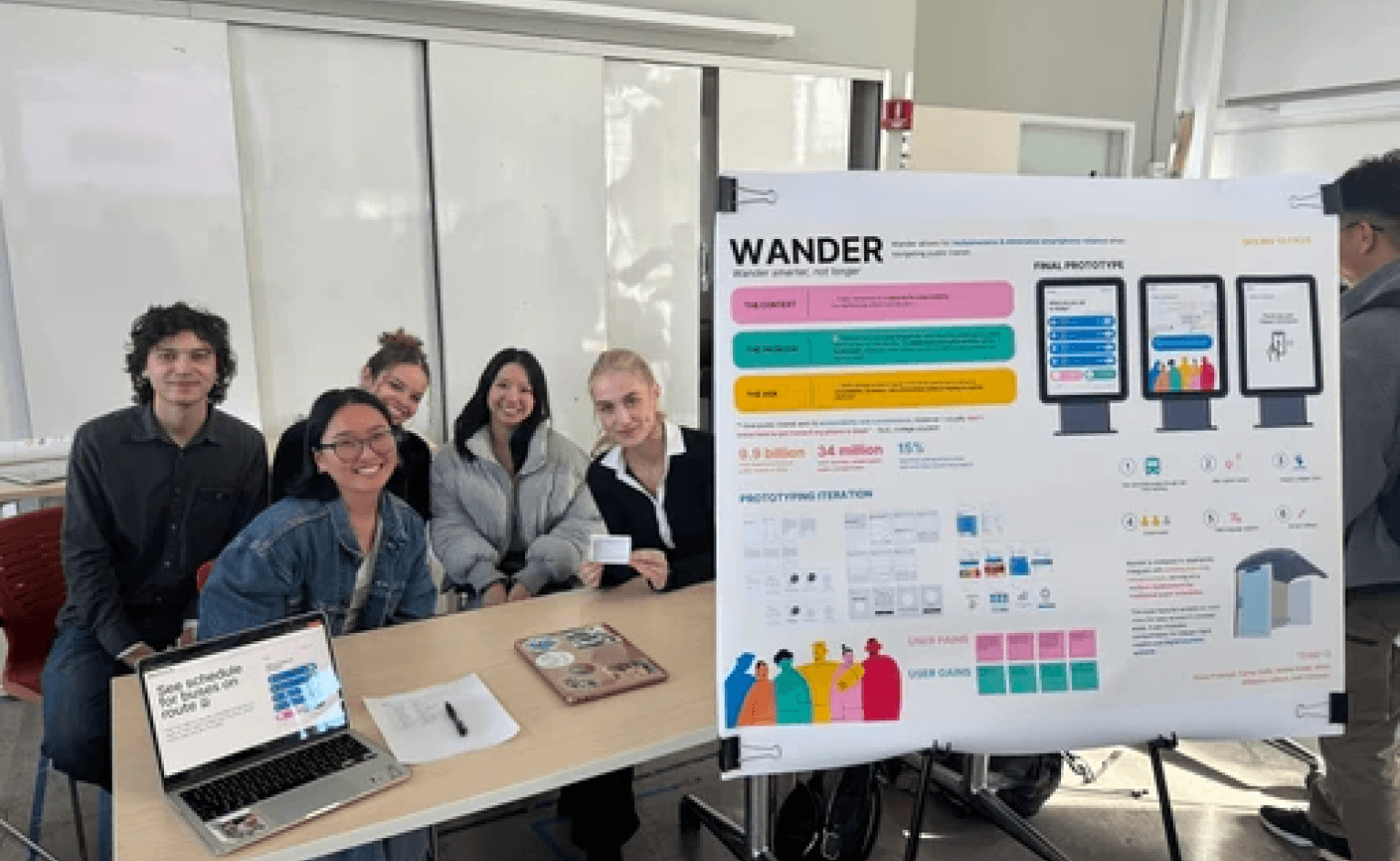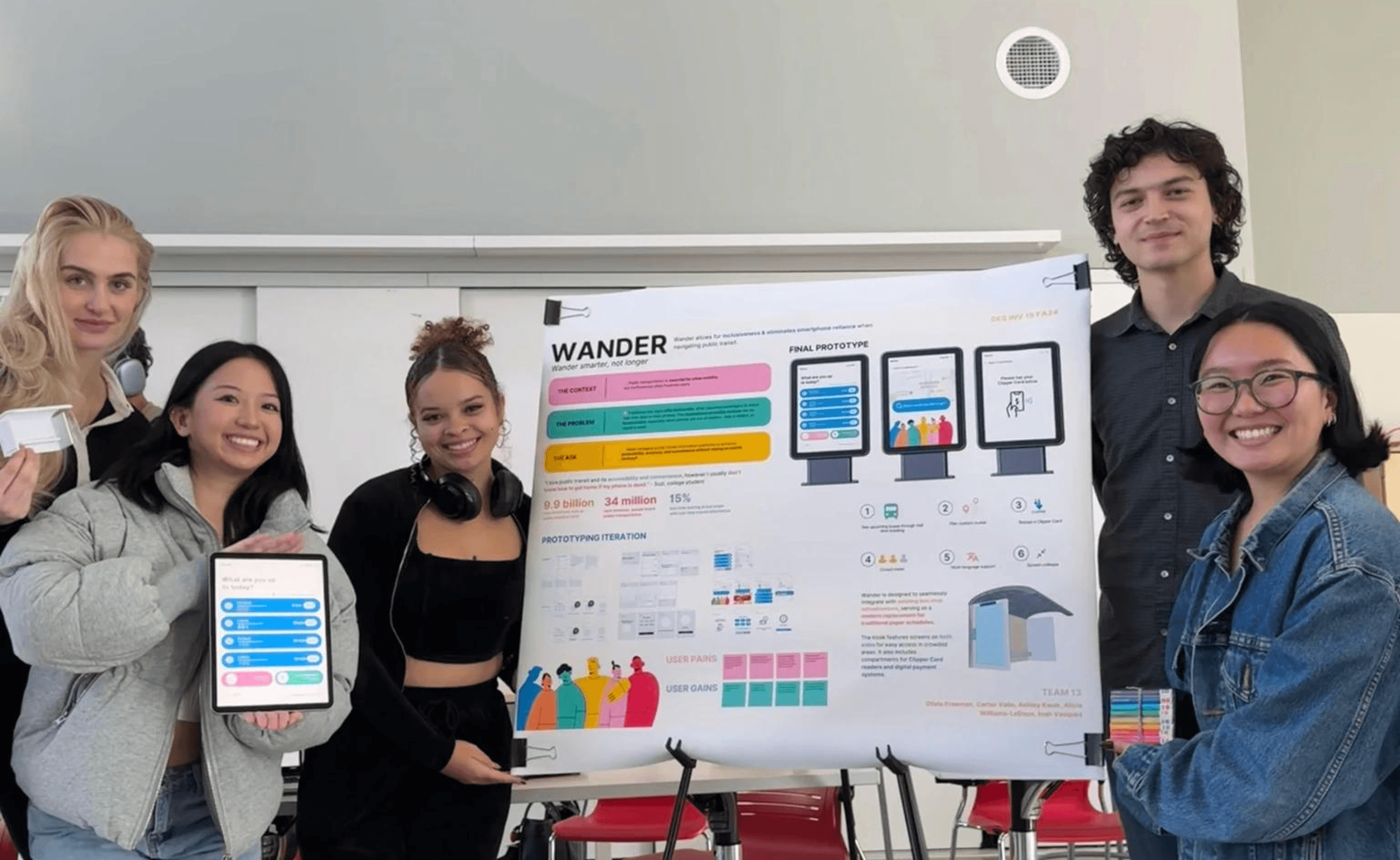
As the lead designer, I developed an interactive and inclusive digital prototype for a kiosk focused on usability across diverse audiences, especially those without access to smartphones. I collaborated closely with teammates to explore physical kiosk designs that balance functionality, accessibility, and user flow in real-world transit environments.
Project Overview
Wander is an interactive kiosk designed to provide real-time public transit information for all users.
My Role
Lead UX Designer
UI/UX Design, User Research, Physical Prototyping, Usability Testing
Team
5 Members
2 UX Designers,
2 Researchers,
1 Environmental Designer
Timeline
8 Weeks
Sept - Oct 2024
Fall Academic Project,
DES INV 15 Design Methodology
Outcome
Showcase Winner
Presented at Jacobs Showcase + won 2nd place
Why Wander?
9.9B
trips taken on public transportation by Americans in 2019
34M
people board public transportation each weekday
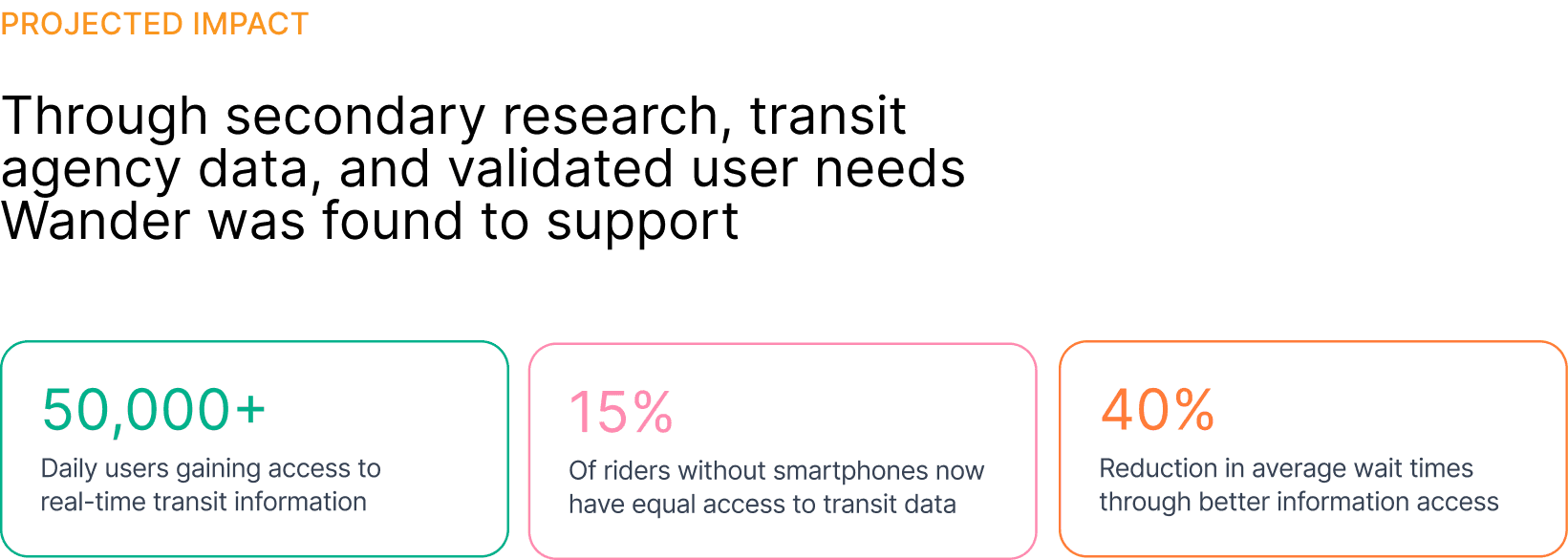
15%
less waiting time for those who have real-time transit information than those without
Approach
Design Solutions
Data Analysis
Processing and Analyzing Data
THEME 1: Accessibility + Inclusivity
Accessibility is a major value driver for transit users
Inclusivity ensures riders of all ages and abilities can navigate with confidence
Intuitive UI design reduces barriers for less tech savvy riders
THEME 2: CLARITY + RELIABILITY
Riders prioritize reliable, real-time information to reduce uncertainty
Consistency in transit data builds user trust
Clear, easy-to-read interfaces reduce cognitive load during stressful moments
THEME 3: EFFICIENCY + EASE
Users want fast access to essential information, no extra steps
Streamlined tasks save time and frustration
Minimizing friction improves the overall transit experience end-to-end



LITTLE LEEWAY
MR. LEE
MULTITASKING MAYA
SPREAD-THIN
SARAH
72-year-old retired warehouse worker who has lived in the city for over 30 years. He frequently relies on public transit to visit the community center, go grocery shopping, attend doctor’s appointments, and meet friends. He doesn’t drive anymore and depends on buses as his primary mode of transportation.
Maya is a 19-year-old college student balancing classes, a part-time job, and a long commute across the city. She relies heavily on public transportation because she can’t afford a car and needs flexibility in her daily schedule. She’s tech-savvy, but her experience depends entirely on her phone—which isn’t always reliable.
Sarah is a 34-year-old working mother who relies on public transit to get around the city with her toddler. With a stroller, a bag of groceries, and time-sensitive obligations, she needs a transit system that is reliable, accessible, and easy to navigate. She manages most errands alone and values anything that simplifies her routine.
BEHAVIORS + HABITS
BEHAVIORS + HABITS
BEHAVIORS + HABITS
FRUSTRATIONS
FRUSTRATIONS
FRUSTRATIONS
“I just want to know which bus to take without worrying I’ll get lost.”
“I need an alternative to my phone when navigating.”
“I just need things to be quick and easy—especially when I’ve got the stroller.”
Arrives early to the bus stop to avoid missing the bus
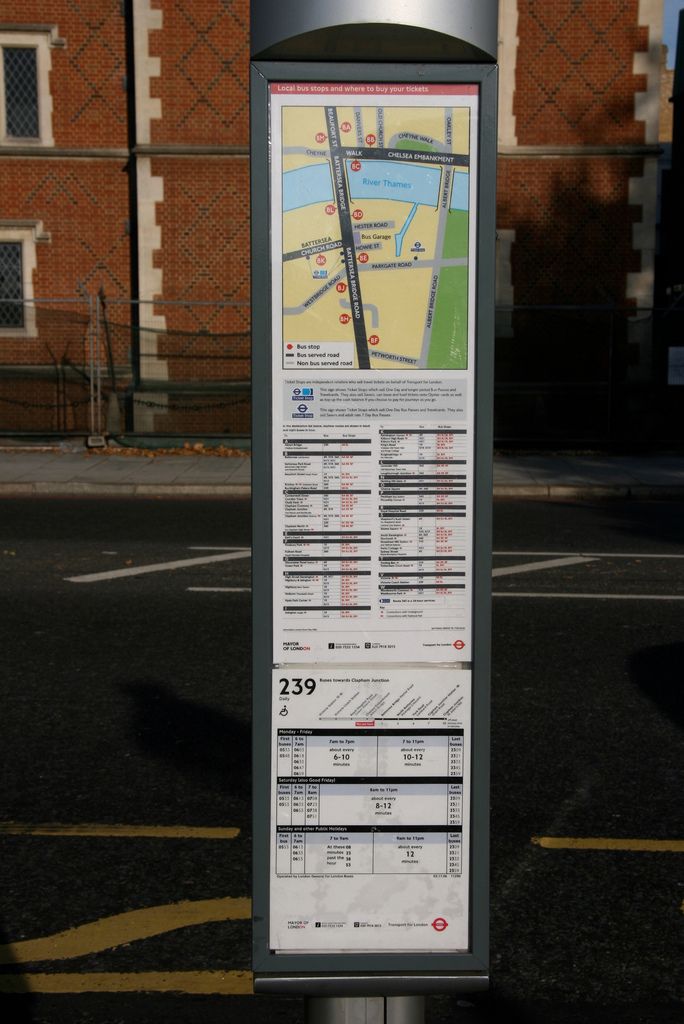
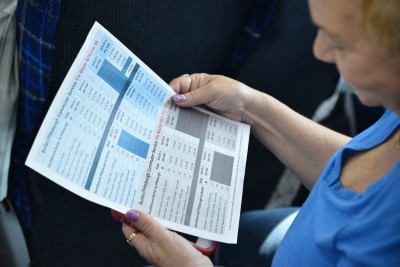
Carries paper schedules, although they’re at time outdated or hard to interpret
Prefers simple, physical interaction over multitouch mobile apps
Avoid crowded service centers where assistance is available because the lines are long
Will ask for help but only when absolutely necessary
Checks multiple apps (Maps, transit apps, bus sites) before leaving
Often rushes to stops, planning on-the-go
Tracks arrival times obsessively to avoid being late
Relies on screenshots or saved PDFs when she anticipates spotty service
Keeps a portable charger—but doesn’t always remember to bring it
Plans trips ahead but often adjusts last-minute around her toddler’s needs
Avoids crowded stations and peak hours when possible
Tries to reload her transit card in bulk, but forgets when busy
Always carries extra snacks, diapers, and supplies—making her movement slower and more stressful
Prefers simple, fast tasks she can complete with one hand
Small text on printed bus schedules: Difficult to read due to aging eyesight
Limited English proficiency: Makes it harder to parse complex signage and transit instructions
Inconsistent or unclear information: Bus routes or times don’t always match what’s posted
Reluctance to rely on smartphones: Find apps overwhelming and doesn’t always trust digital interfaces
Fear of getting on the wrong bus: A frequent anxiety when the signage is unclear
Outdated or inconsistent bus schedules at stops
Phone battery dying, leaving her without navigation
Unpredictable arrival times causing stress and lateness
Crowded buses with no information beforehand
Difficulty finding reliable backup solutions when her phone fails
Card reload machines are far away or broken
Spotty mobile service makes in-app payments unreliable
Difficult to maneuver stroller in crowded stations
Limited time—every minute counts when managing childcare
High cognitive load: keeping track of her child and transit tasks
GOALS
GOALS
GOALS
Find the correct bus routes without confusion
Read maps and schedules without straining his eyes
Navigate transit independently without having to ask strangers for help
Get to and from home safely and reliably
Arrive to school and work on time
Access accurate, real-time transit updates
Find alternative routes quickly when delays happen
Travel confidently without relying solely on her phone
Reload her Clipper Card quickly and close to home
Avoid long lines or crowded service centers
Navigate transfers easily while managing a stroller
Reduce stress and unpredictability when traveling with a child
Clear, high- contrast maps and large text
Interface in his native language
Trustworthy, stable information source
A dependable, phone-free way to check real-time arrivals
Clear, updated schedules at every stop
Crowd-level information to choose the safest, quickest route
A backup solution when her phone battery dies
Convenient, reliable card reloading at transit stops
Simple, fast, stroller-friendly interaction flows
Information accessible at eye level and easy to tap
Reduced physical and mental strain during transit tasks
NEEDS
NEEDS
NEEDS
User Personas
🗺️ Journey Map: Mr Lee’s Typical Transit Experience
😁
😓
😆
😣
😔
😟
🥲
STAGE OF
JOURNEY
JOURNEY MAP OF LITTLE LEEWAY MR LEE
ACTIONS
EMOTIONAL
STATE
FEELINGS
+ NEEDS
POTENTIAL OPPORTUNITIES
FOR IMPROVEMENT
Arriving at the bus stop
Before leaving home
Trying to interpret the paper schedule
Waiting for the bus, still unsure
Boarding the Bus
Riding + Reaching Destination
Arrives to the bus stop 10 min early to figure out schedule. Approaches the stop and scans the printed bus schedule on display. Leans in closer and squints to make out the text.
Checks printed bus schedules he saved from previous trips.
Tries to confirm route numbers and times, but the text is small.
Leaves early to avoid missing the bus.
Attempts to match the bus numbers and times.
The English only schedules are making it hard to understand and digest
Mr Lee rechecks multiple times to avoid mistakes
Stands at the stop, watching passing buses carefully.
Checks the sign again because he’s still not sure.
Checks the bus number quickly before getting on.
Asks the driver to confirm only if he’s very unsure
Tries to avoid holding up the line
Watches fo familiar landmarks. Looks for the stop button early.
Positive
Negative
Uncertain, frustrated, anxious
Excited, ready, but cautious + uncertain
He struggles to read the tiny text on printed bus schedules, leading to feelings of frustration and uncertainty.
Need: Clear, large-type signage that is easy to read for aging eyes.
He feels excluded and overwhelmed by English-only information, making transit navigation stressful.
Need: Multilingual support so he can confidently understand routes and instructions.
He worries he might misinterpret the schedule or directions, causing anxiety about getting on the wrong bus.
Need: Simple, intuitive route guidance that removes guesswork.
Fear of embarrassment if wrong and rushed environment makes confirming difficult
Need: Reliable, up-to-date arrival information to reassure him he's in the right place.
Difficulty knowing when and where to get off
Need: Clear directions of route prior to boarding
Overwhelmed, cognitive overload,
lacks confidence
Nervous, vulnerable, stressed
Uncertain but relieved once on board
Hypervigilant
Relieved at arrival
Add larger, high-contrast schedules for better readability.
Provide multilingual signage to support non-English speakers.
Simplify route information with clear icons and color-coding.
Install real-time arrival displays to reduce uncertainty.
Give users what they need (route planning, destination route, etc. in as few steps as possible
😕
😞
🤨
👀
😅
😮💨
🥲
Challenges
Setbacks and Redirection
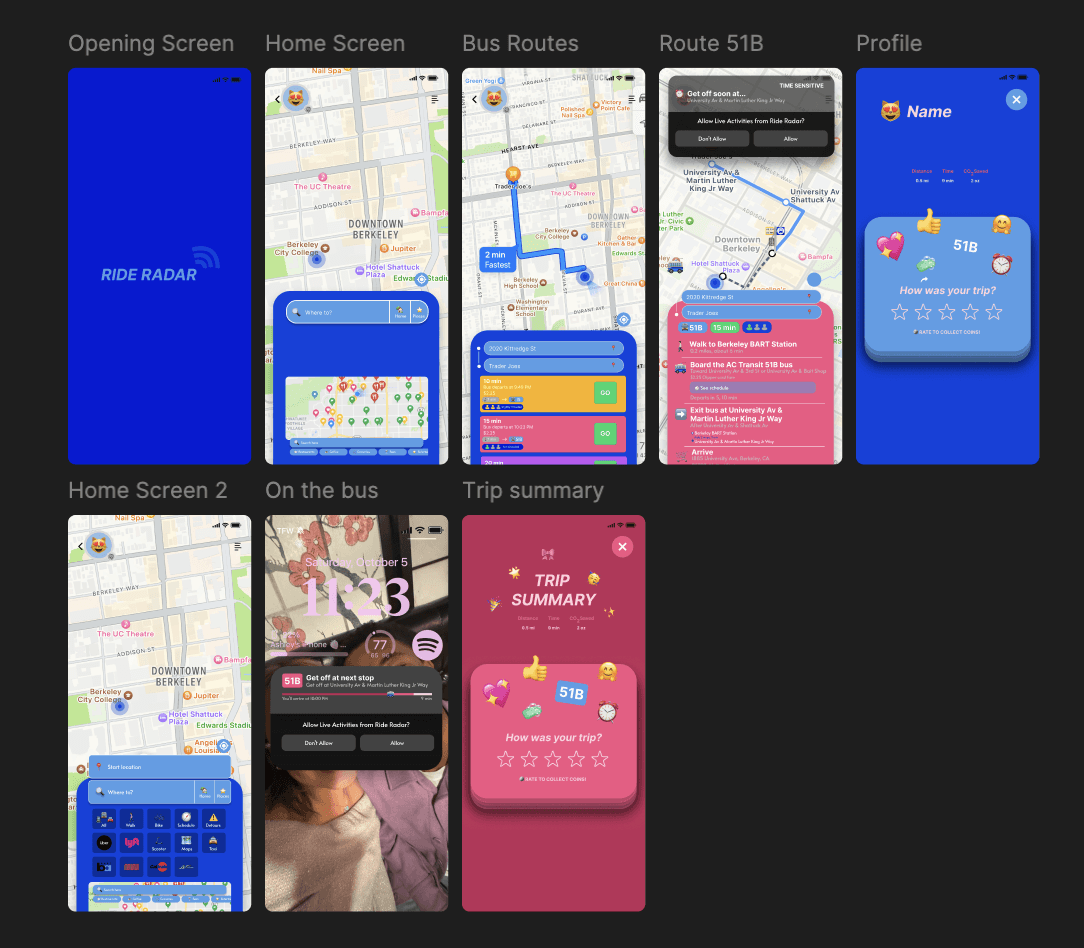
The first two weeks, we tried making an app to better transit navigation.
To better empathize with our users, I created a video storyboard featuring our 3 personas.

Design Process
Ideation
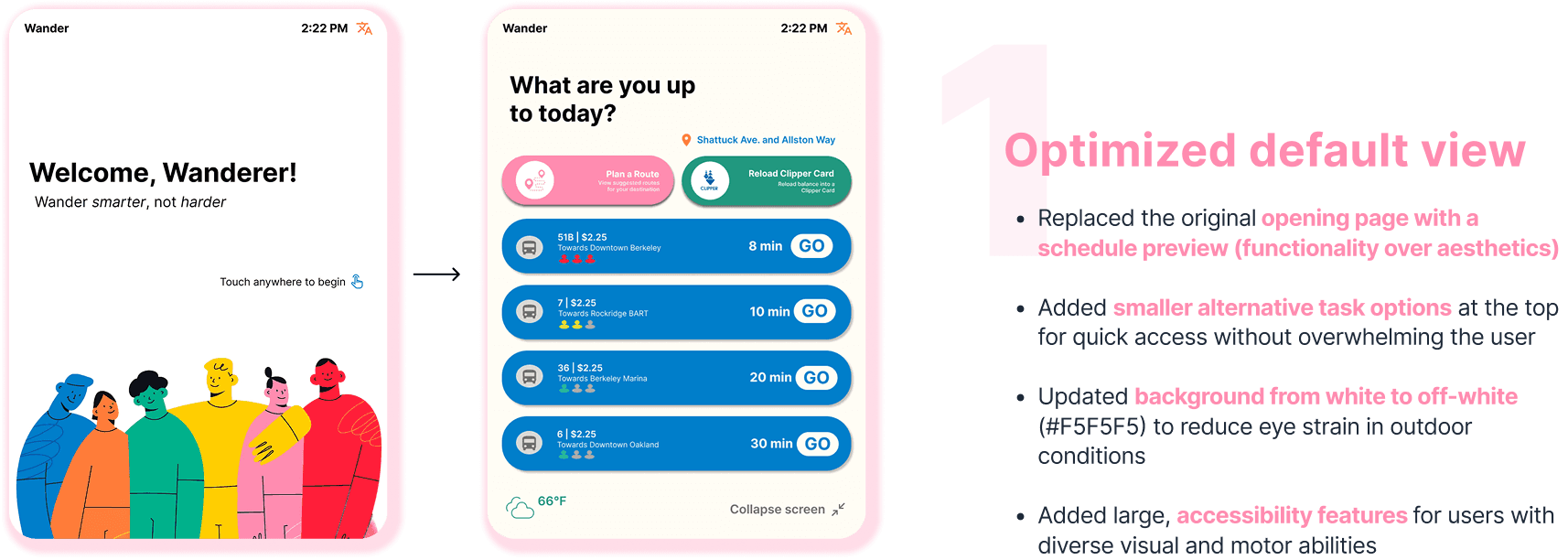
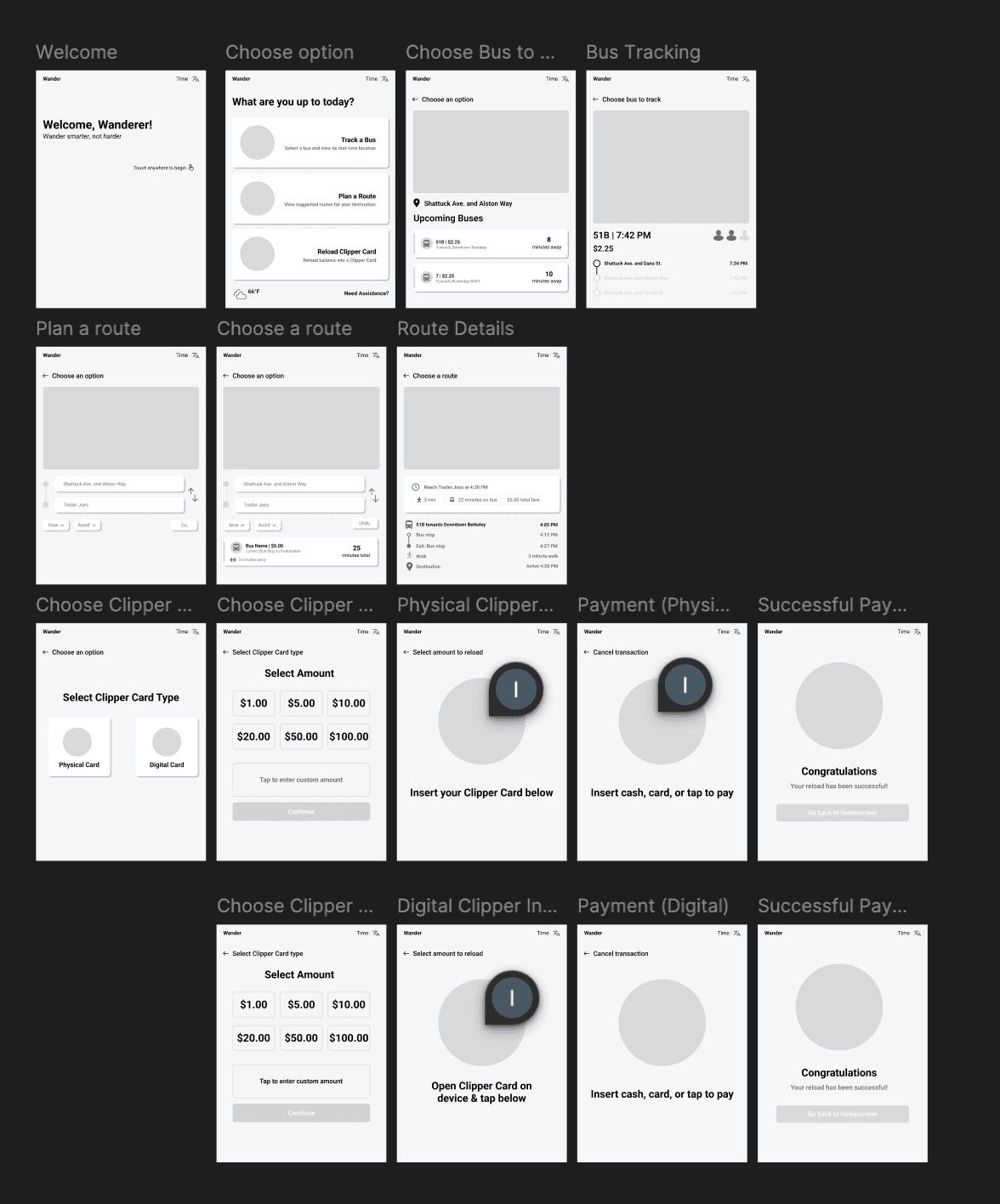
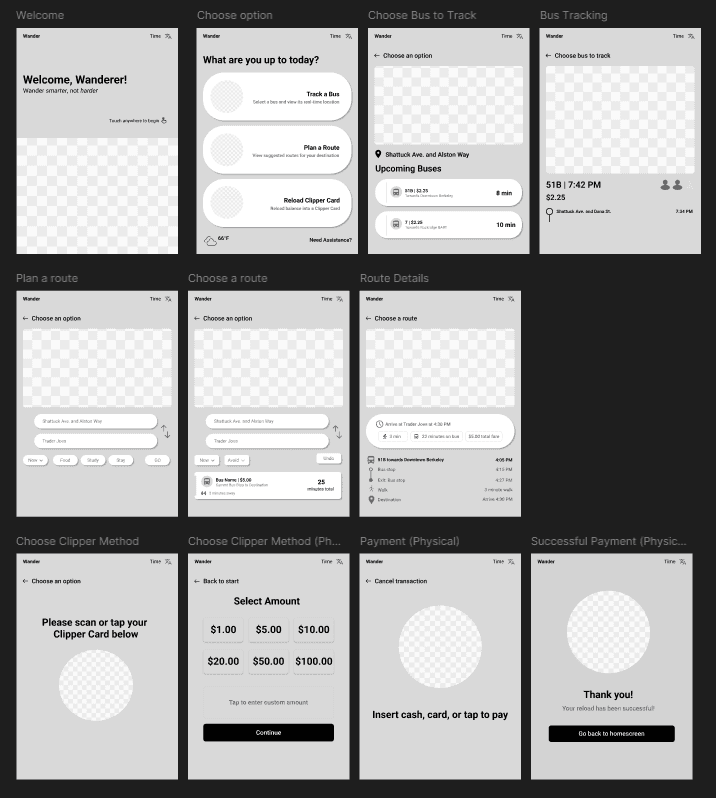
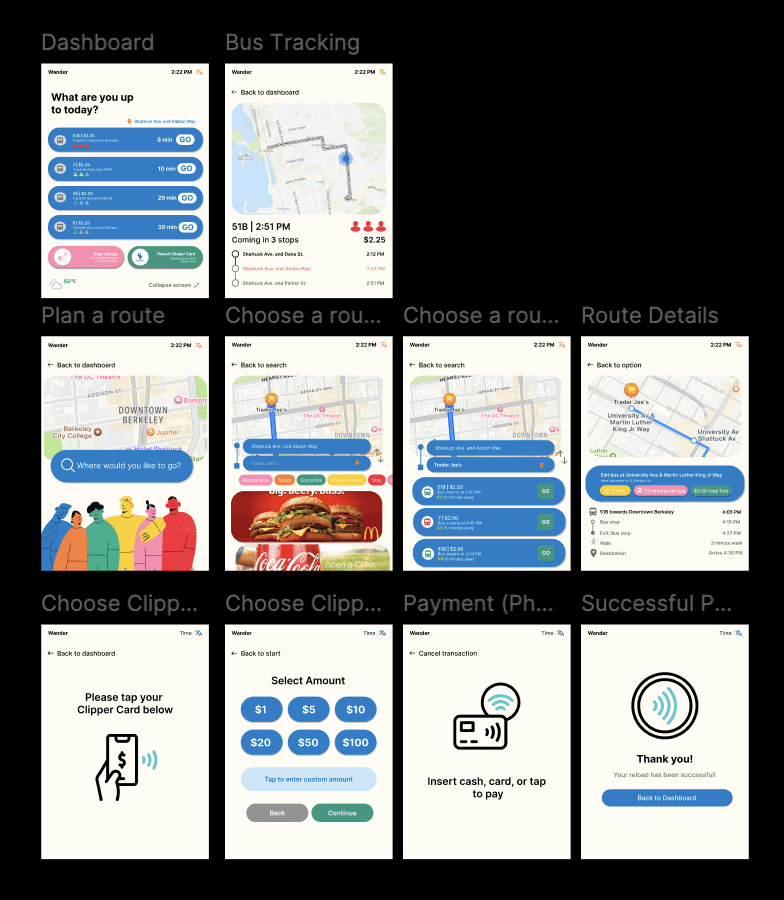
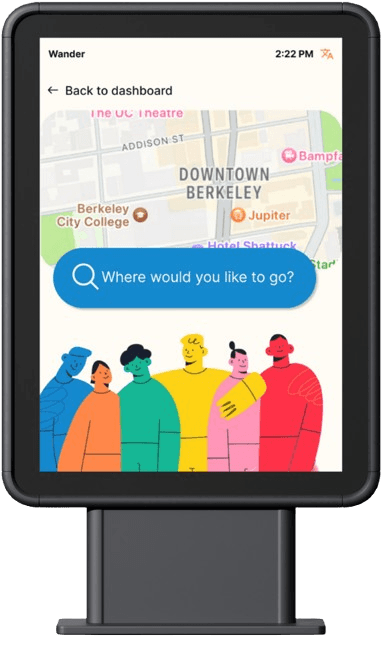
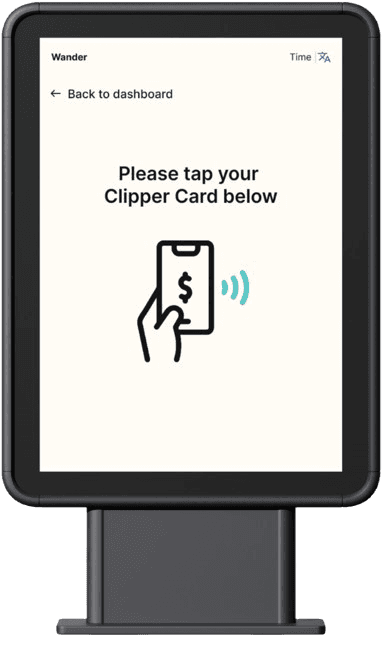
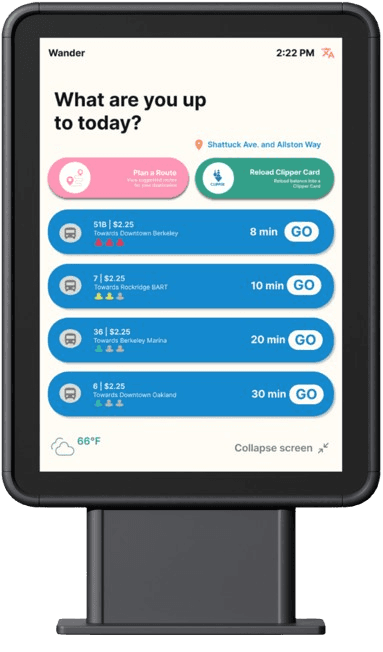
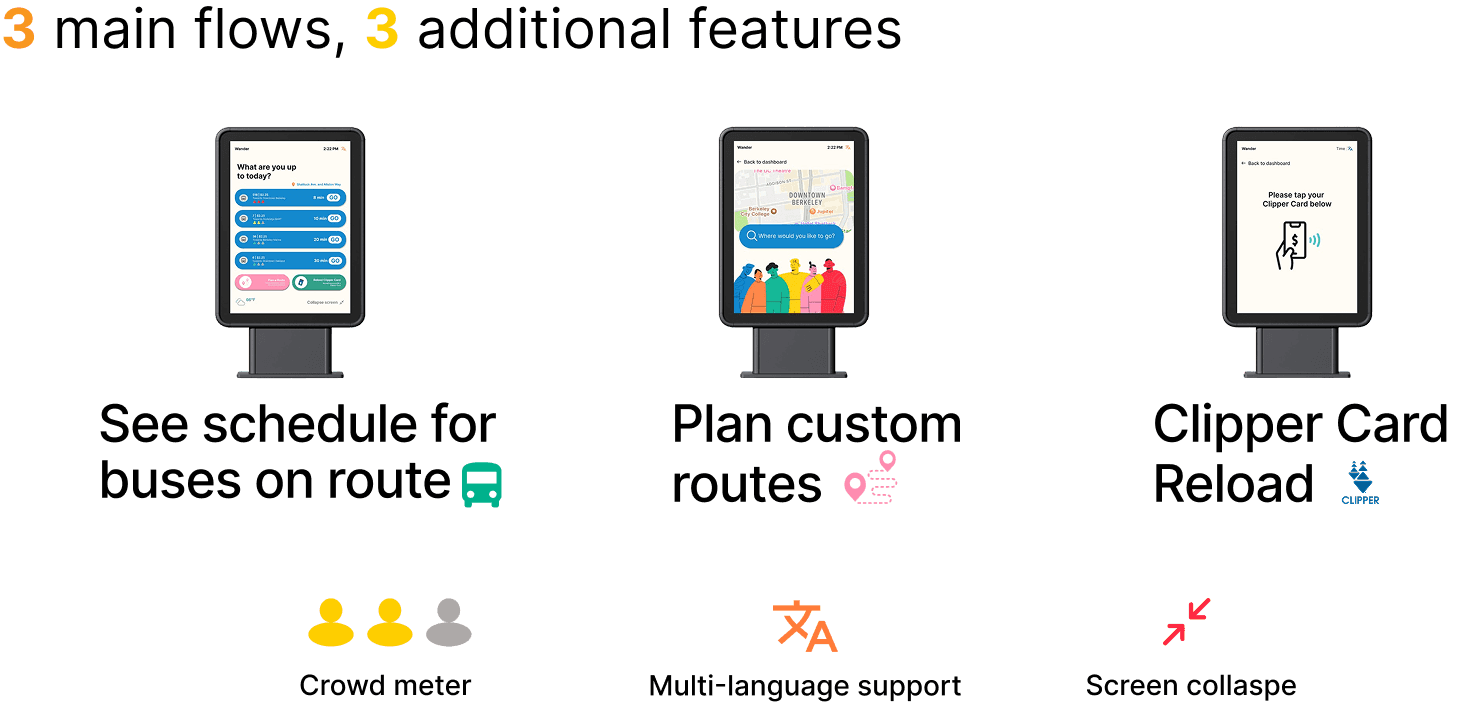
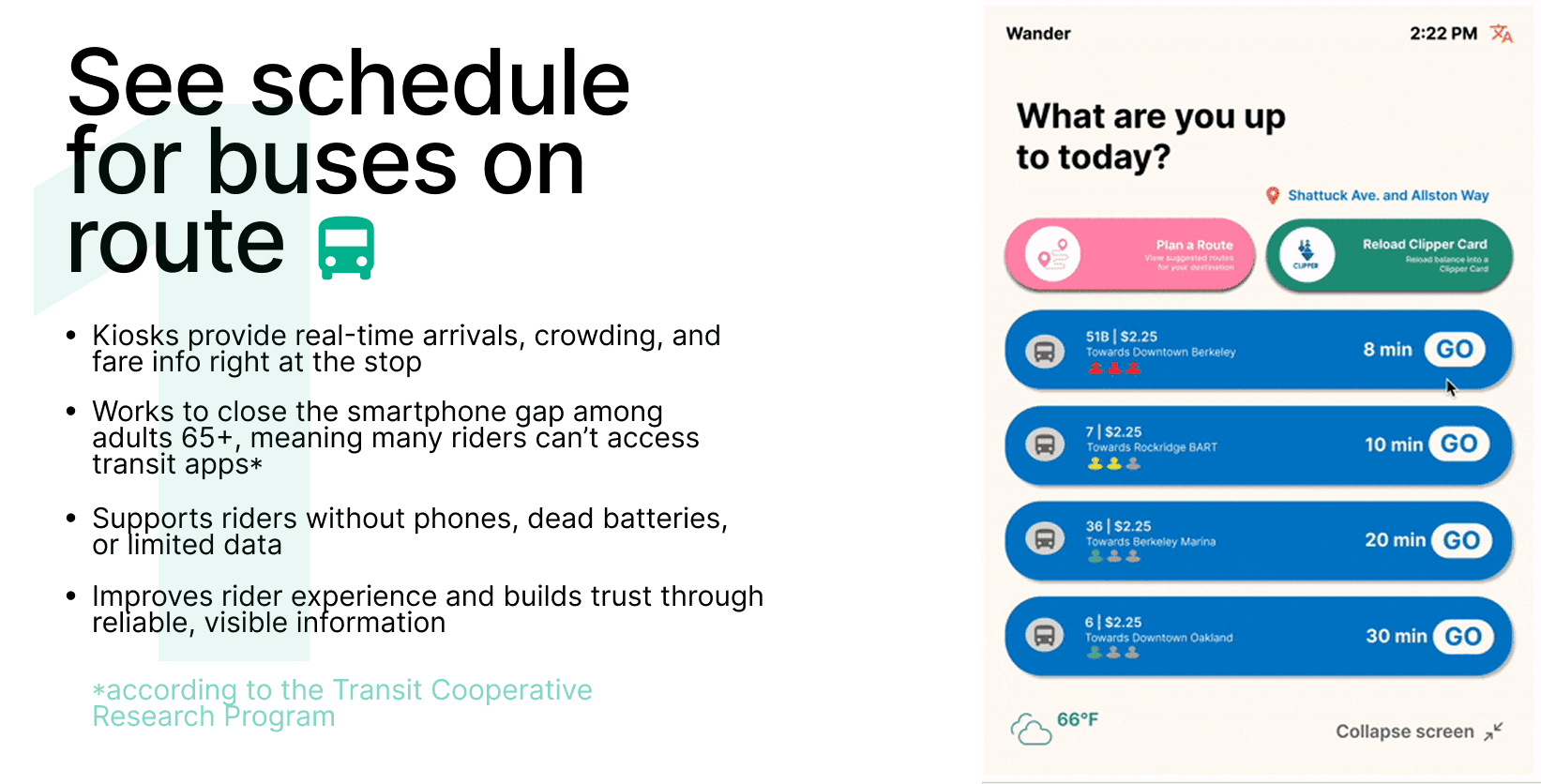
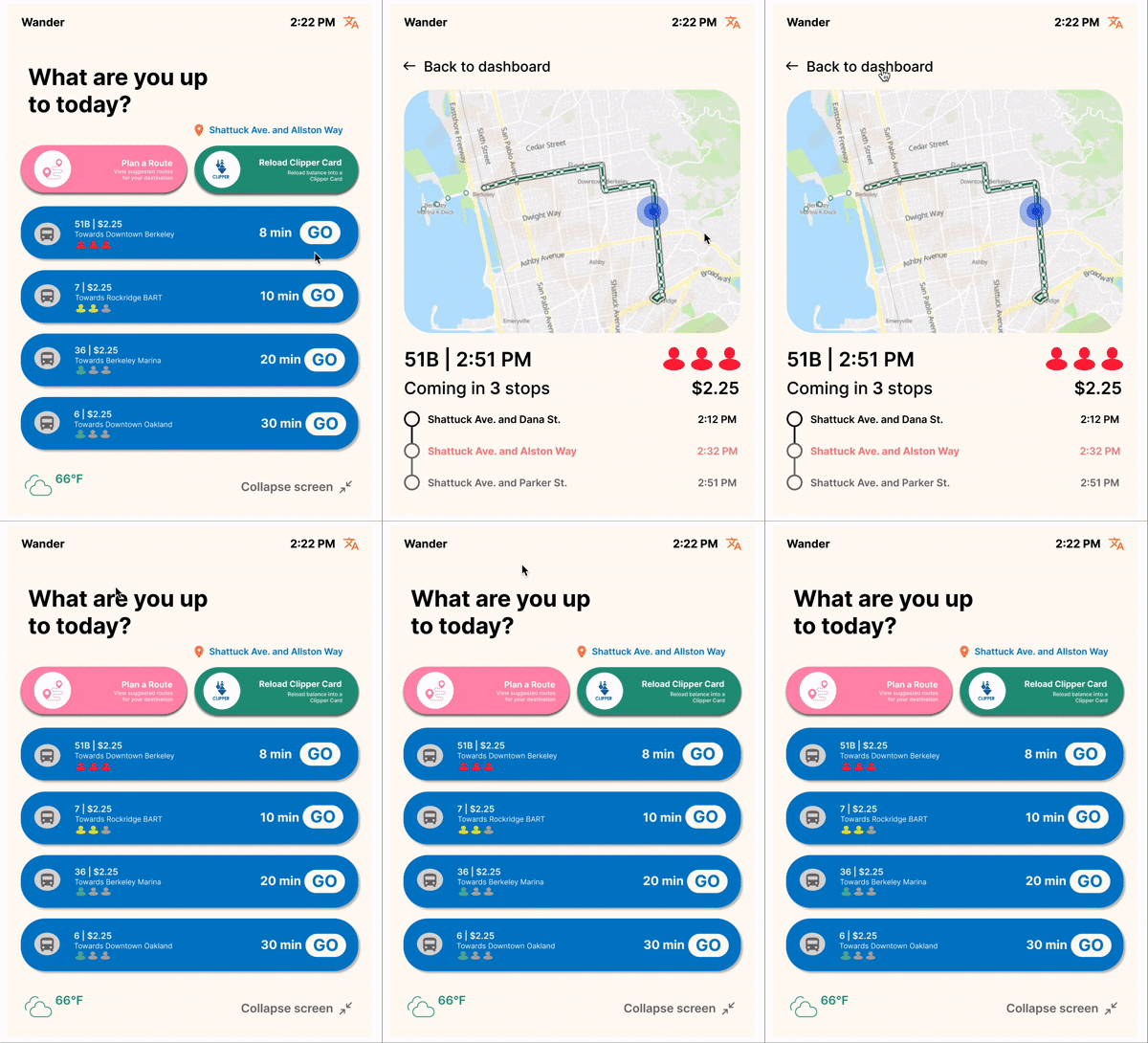
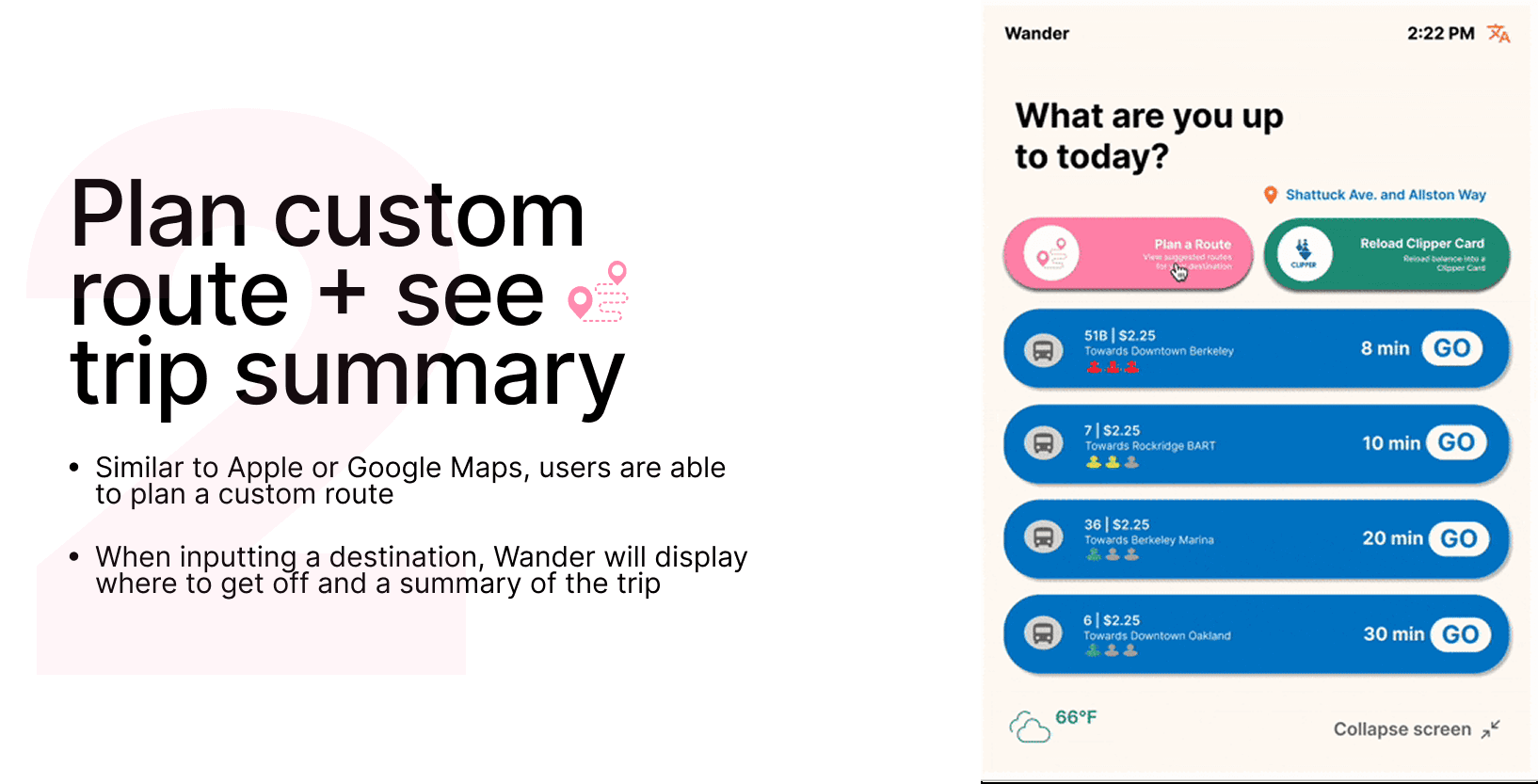
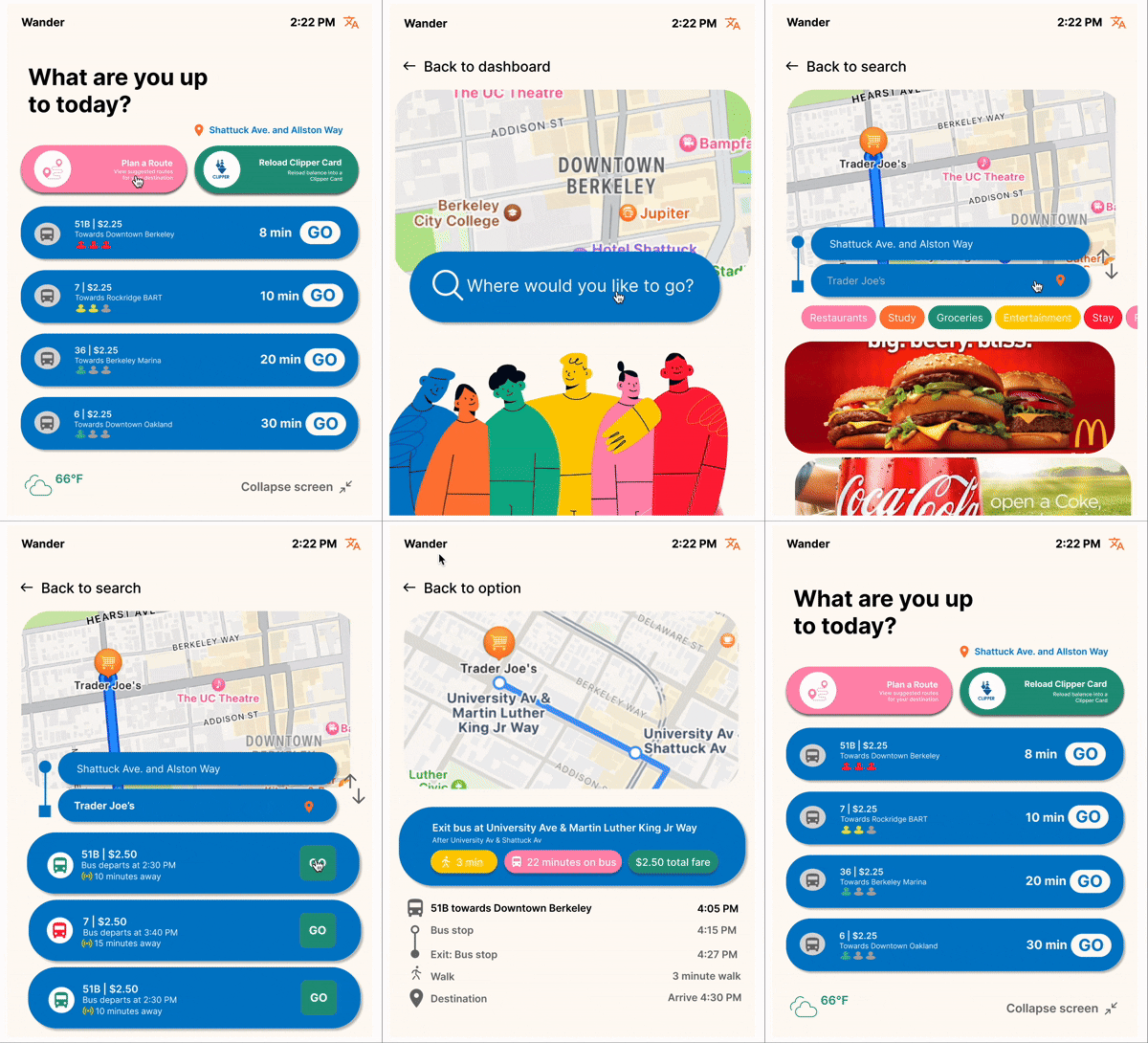
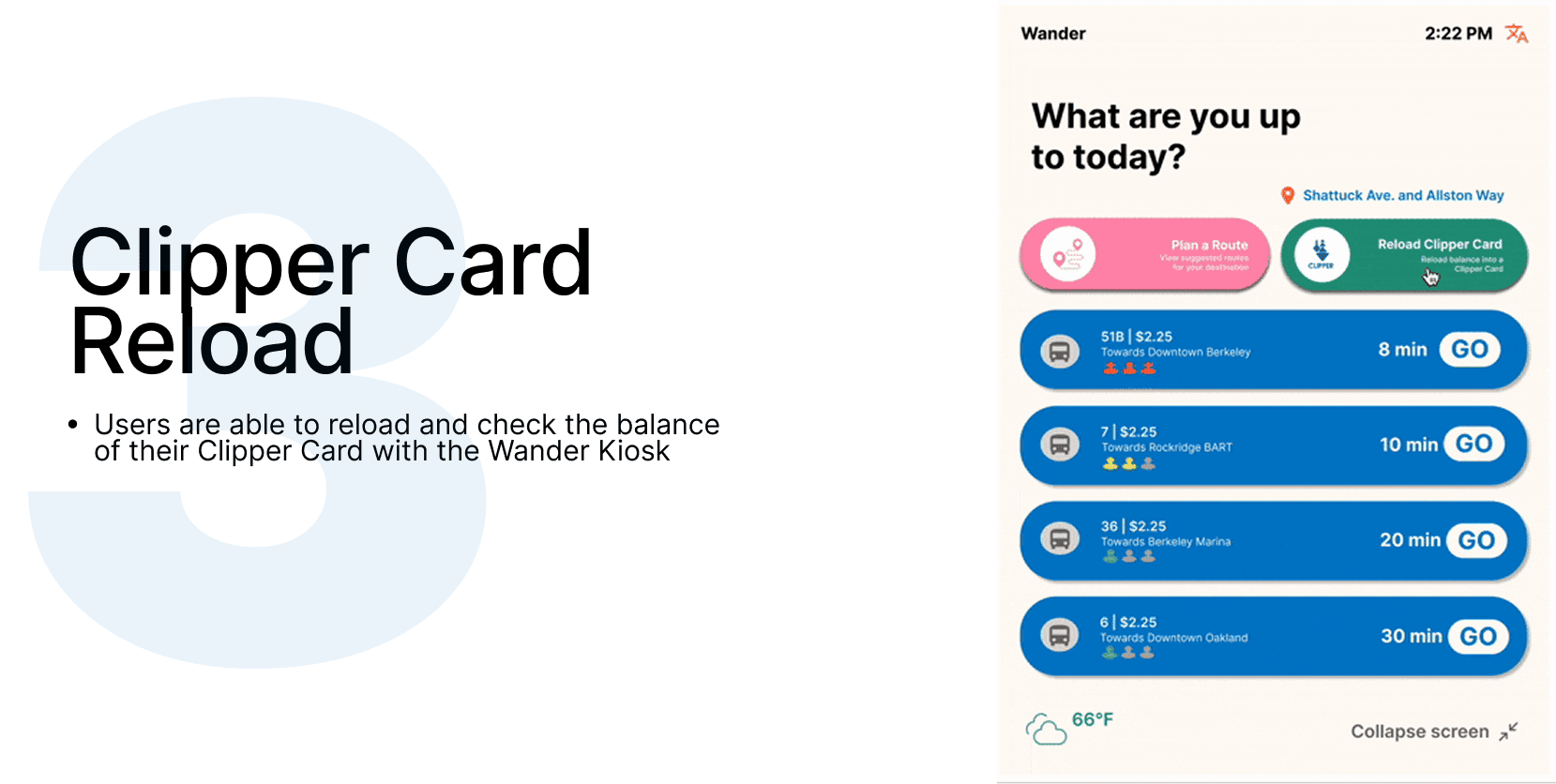
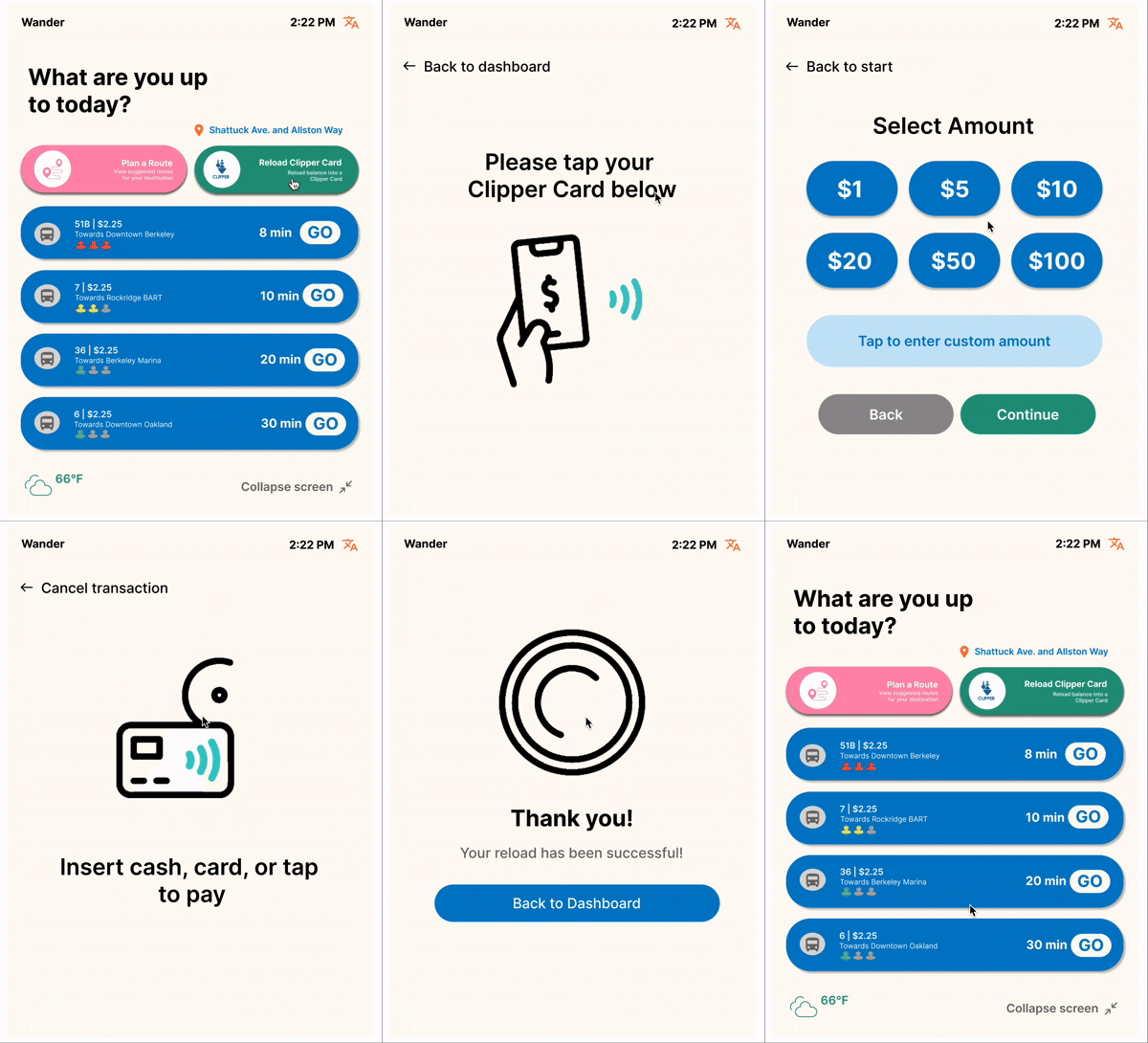
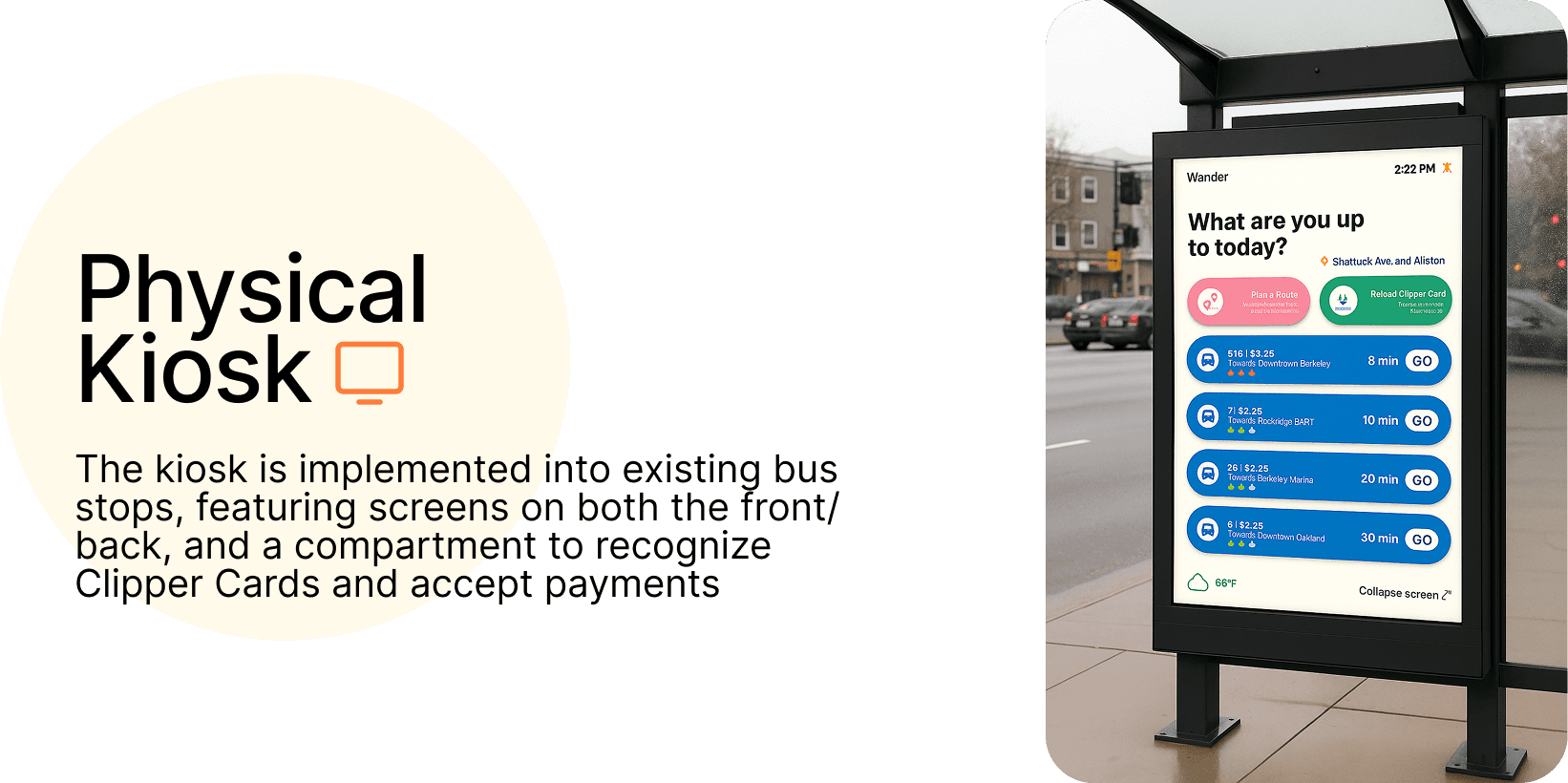
We catered the design to 3 main flows: (1)See schedule for buses on route, (2)Plan your route, (3)Clipper Card Reload
The Challenge
Context
🤳
The Problem
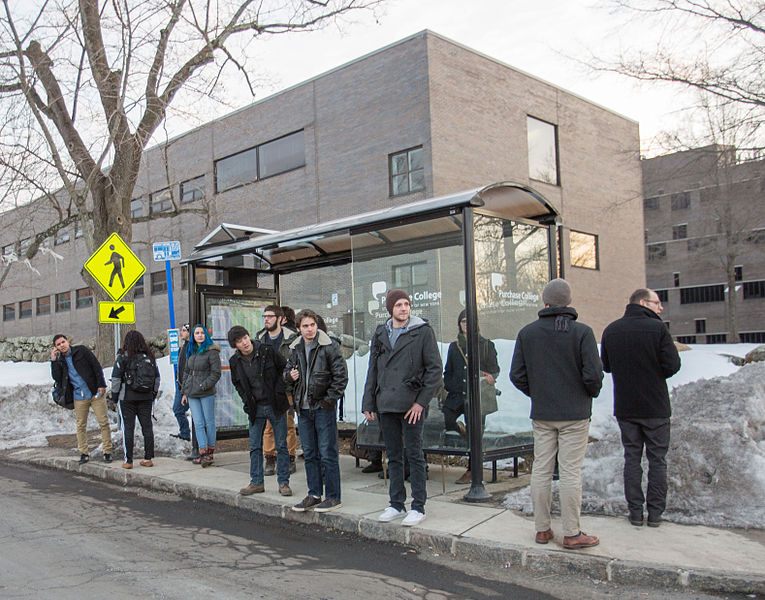
Technology Dependence Creates Inequity
Public transit users are often reliant on personal technology for their commute. This creates a significant barrier for the 15% of Americans without smartphones, elderly populations less comfortable with technology, and anyone experiencing dead batteries or connectivity issues. The assumption that everyone has constant access to mobile devices perpetuates an accessibility gap.
🚧
The Challenge
Missing Real-Time Updates
Users are often not provided with real-time public transit information including scheduling changes, delays, and service disruptions. Static paper schedules at bus stops become outdated quickly and can't communicate last-minute changes. This information gap leads to unnecessary waiting, missed connections, and frustrated commuters who can't effectively plan their journeys.
✍️
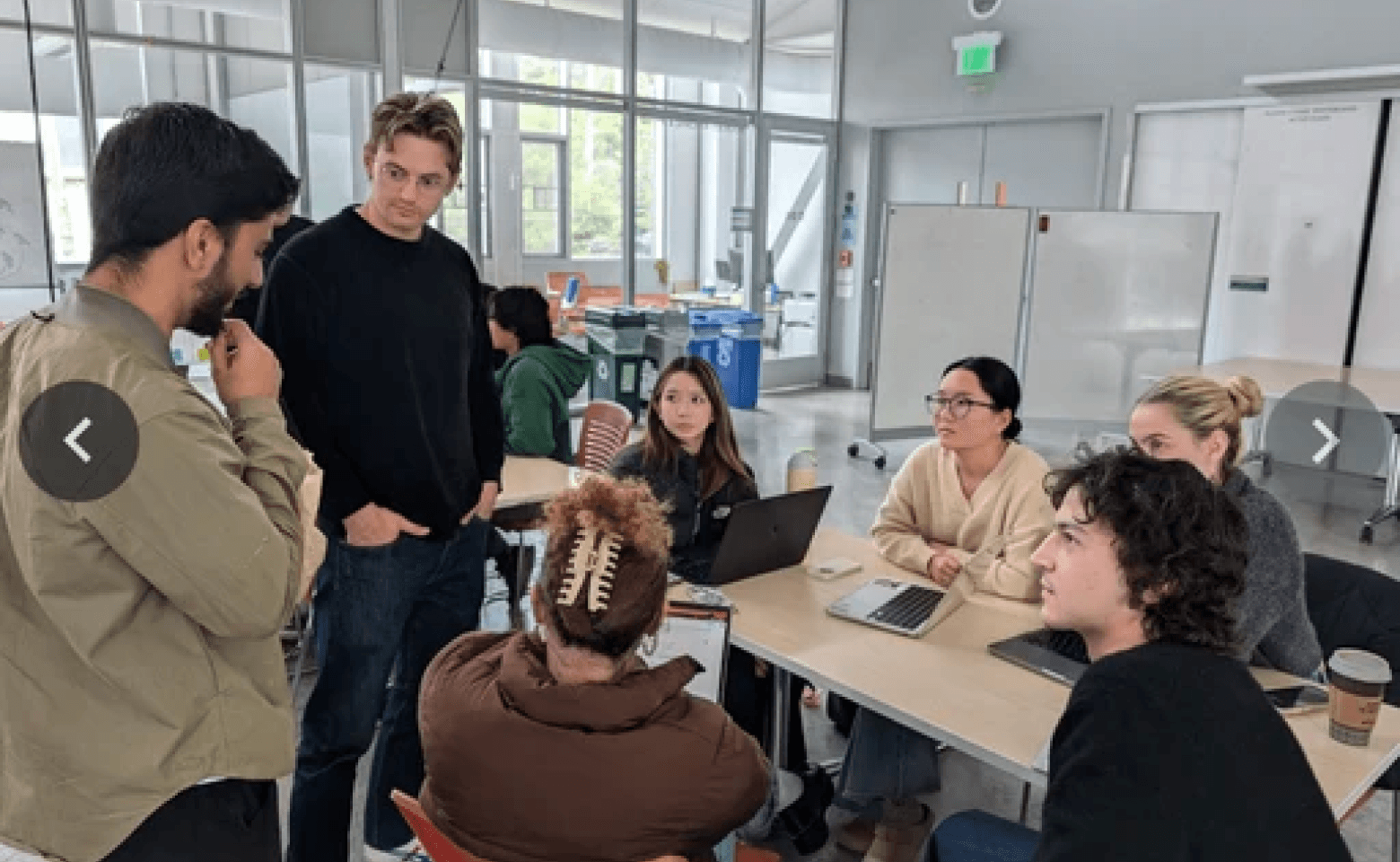
Before making any design decisions, my team and I focused on understanding how public transit riders navigate using existing systems
PRELIMINARY RESEARCH
Objectives
Project Goals
🎯
Make transit information accessible to all users
Ensure that every person, regardless of technological access or abilities, can easily obtain real-time transit information. Design for the 15% of transit riders who don't own smartphones and countless others who prefer physical interfaces.
⚡
Minimize smartphone dependence
Provide a reliable, always-available physical touchpoint that works regardless of personal device ownership or battery life. The interface is designed to be instantly understandable, requiring no downloads or technical knowledge.
♿
Ensure convenience and equity at every step
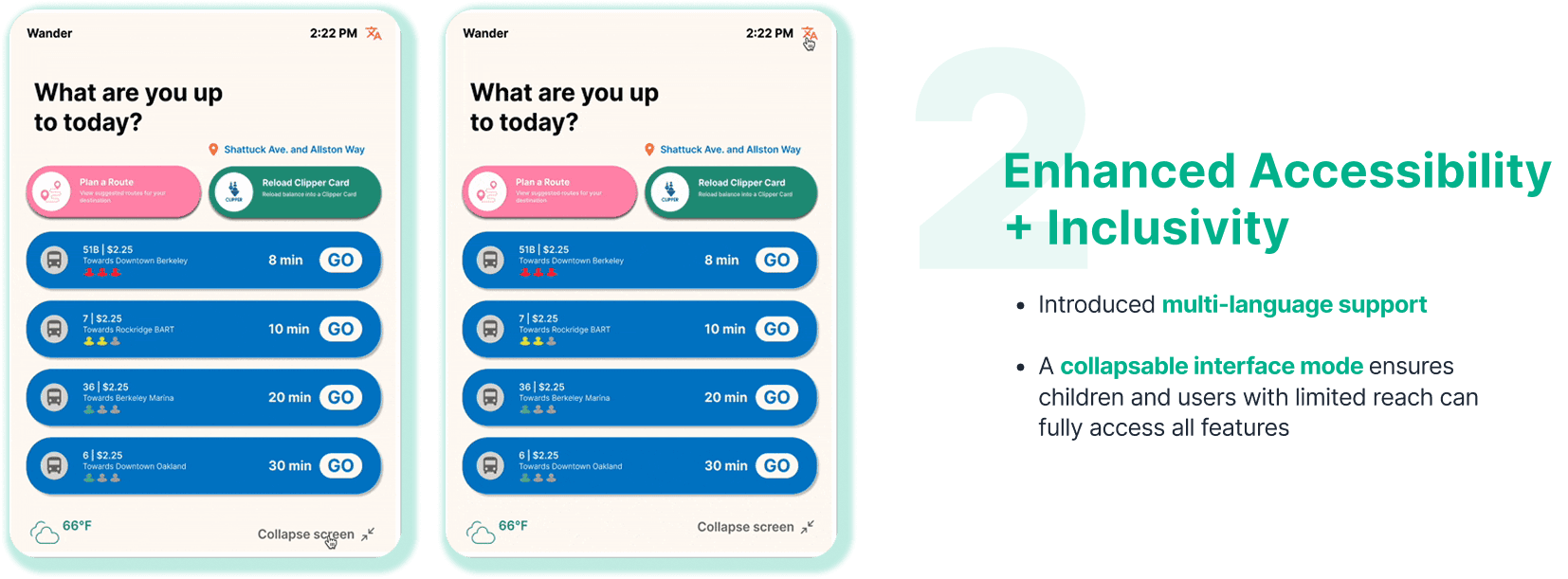
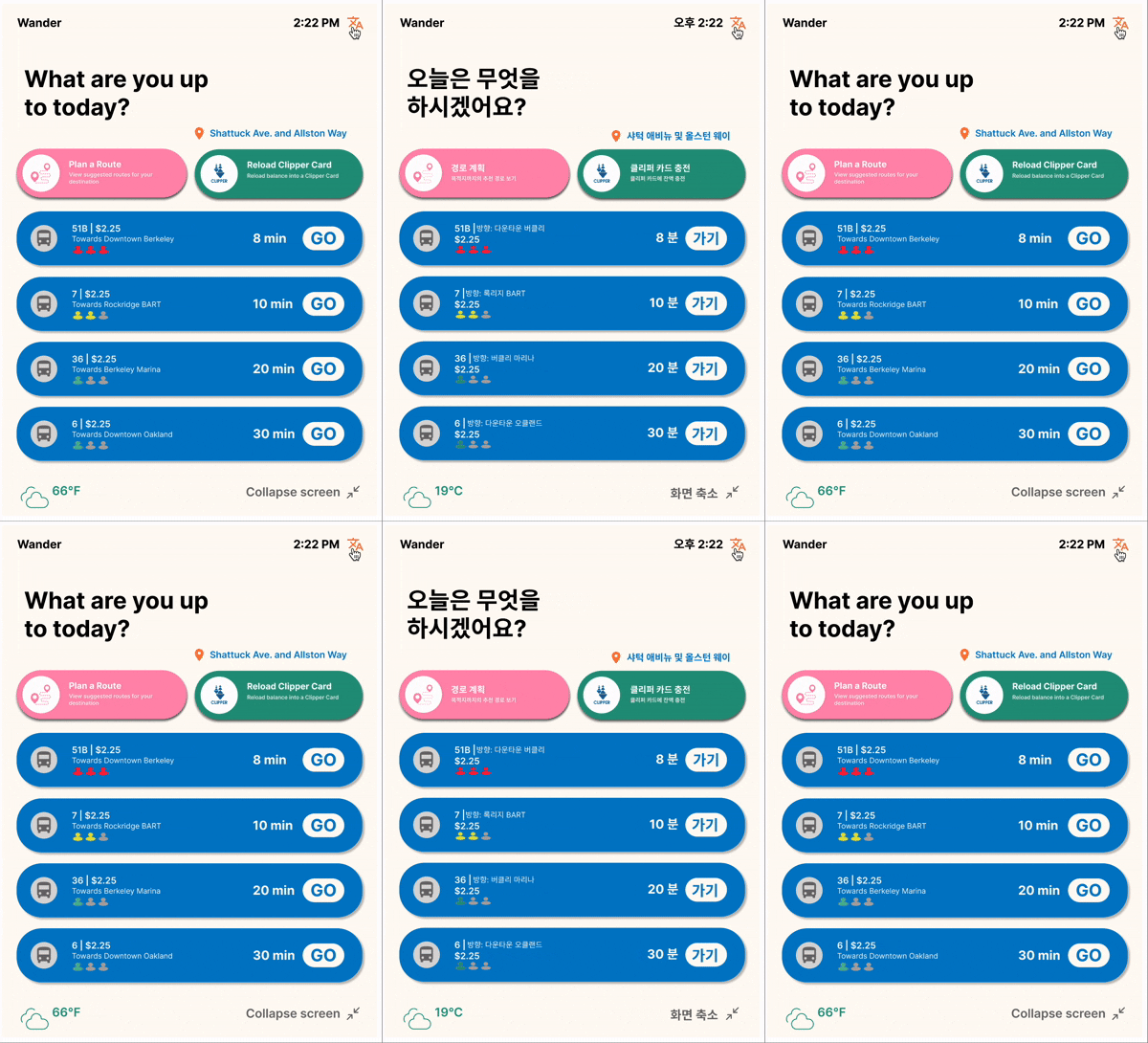
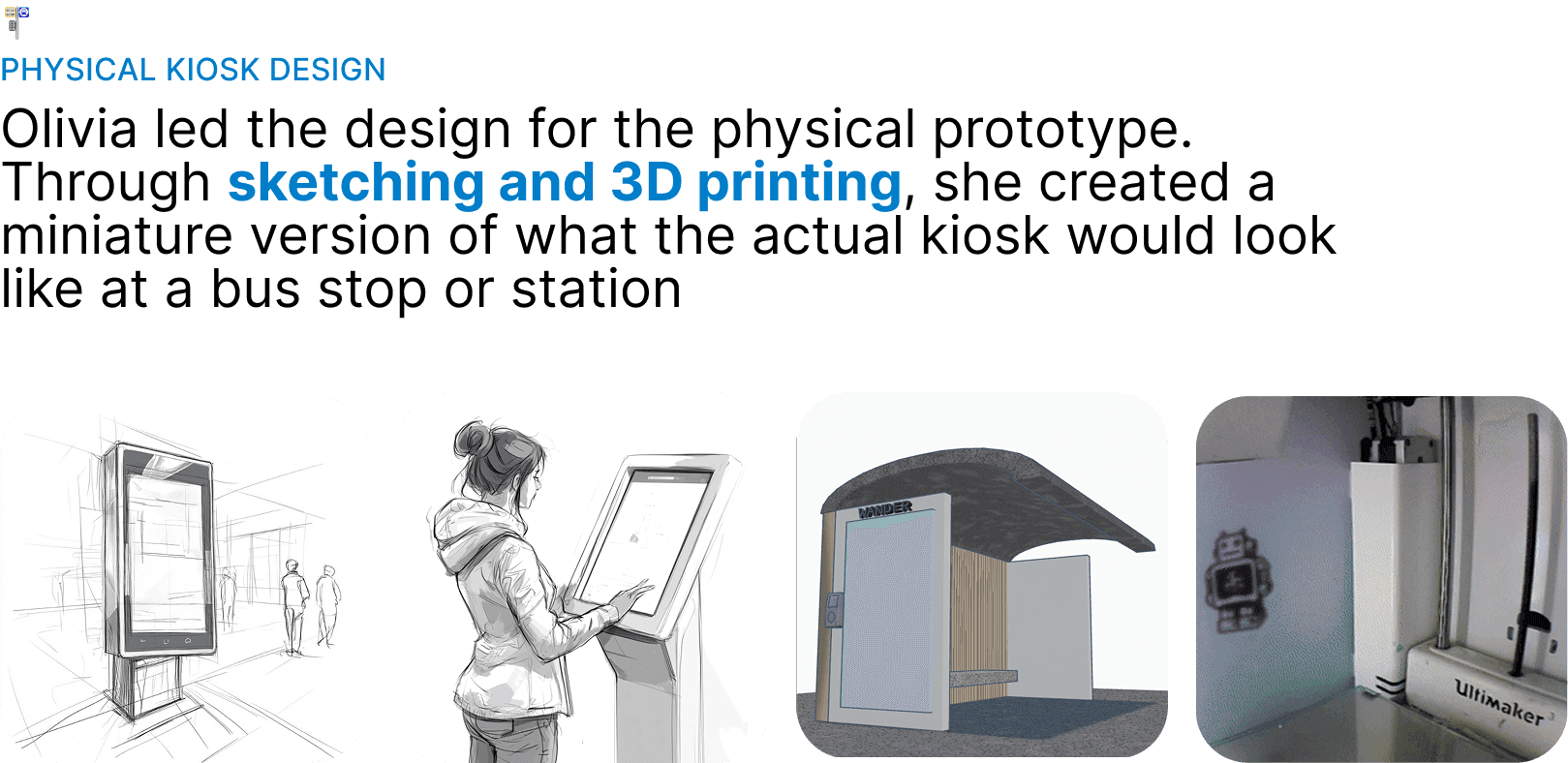
Prioritize user needs over technical complexity. Streamlined navigation, multi-language support, visual accessibility features, and collapsible interface mode for users with limited reach.
Key Findings
Themes and Insights
We further learned about the implications of public transit navigation through...
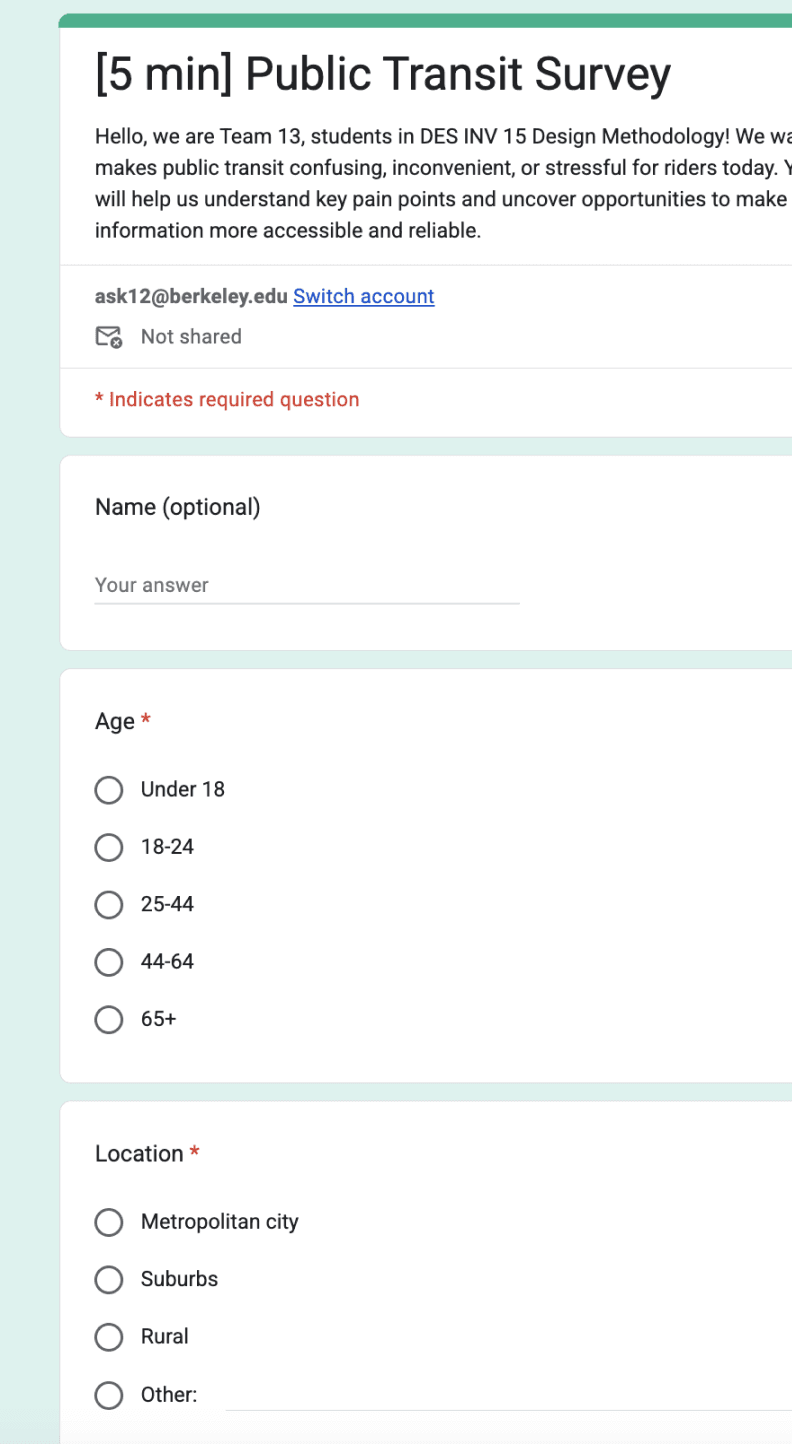
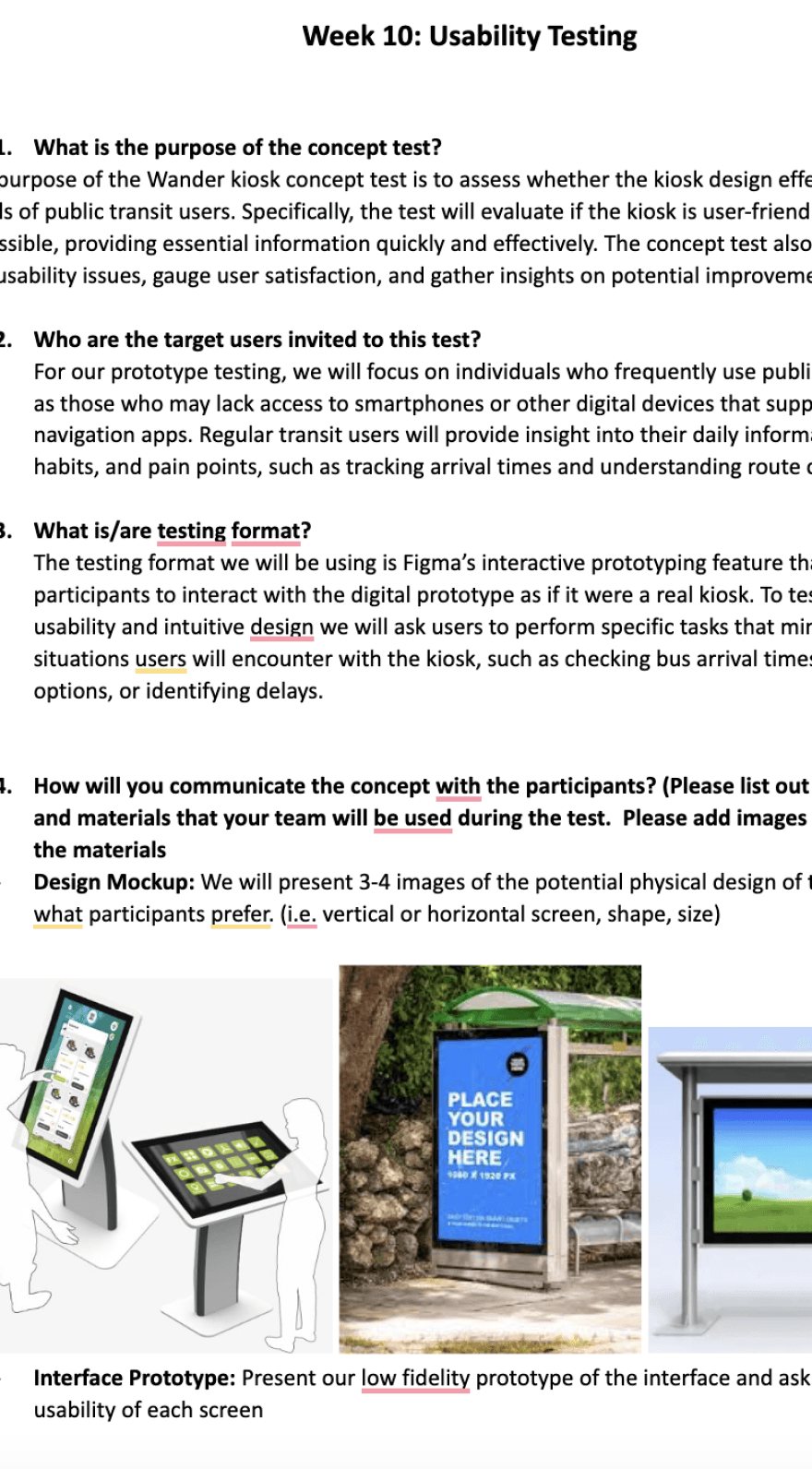
94
10
04
10
Survey Respondents
Interviews
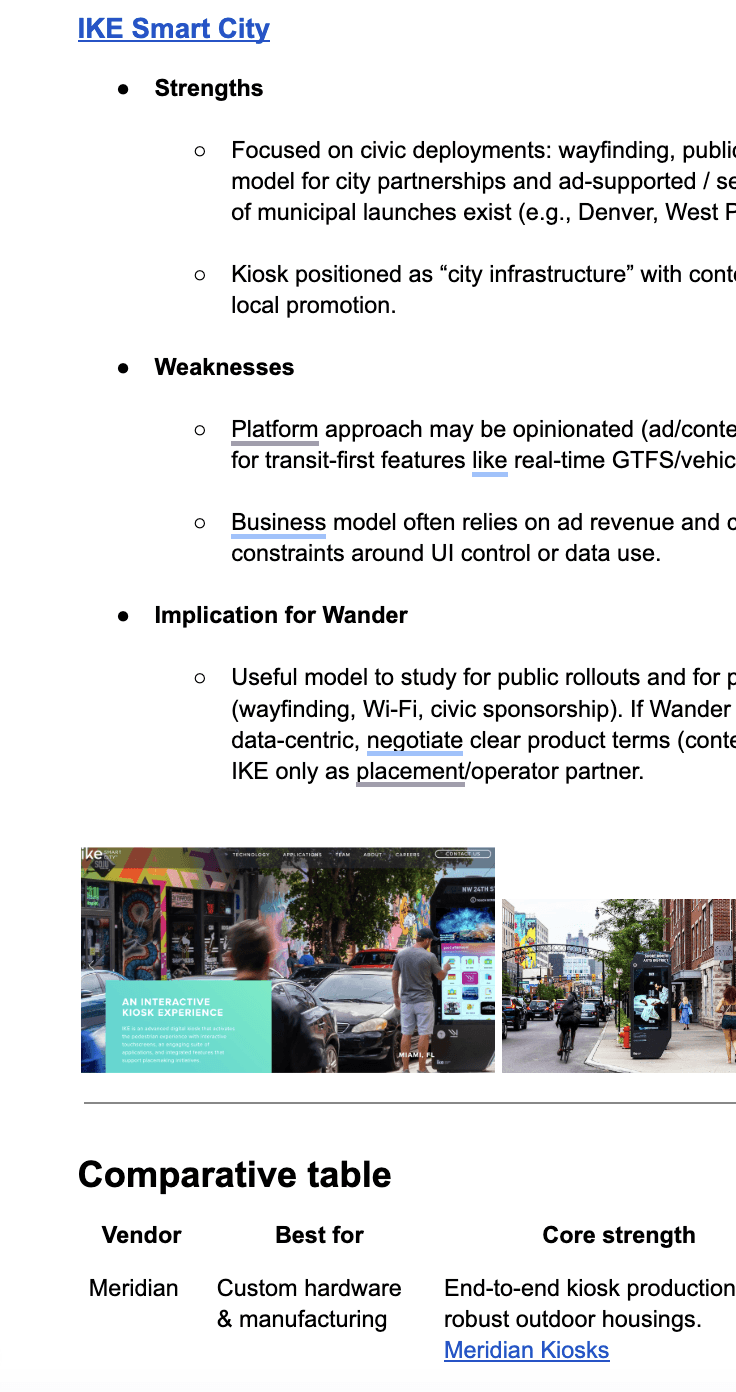
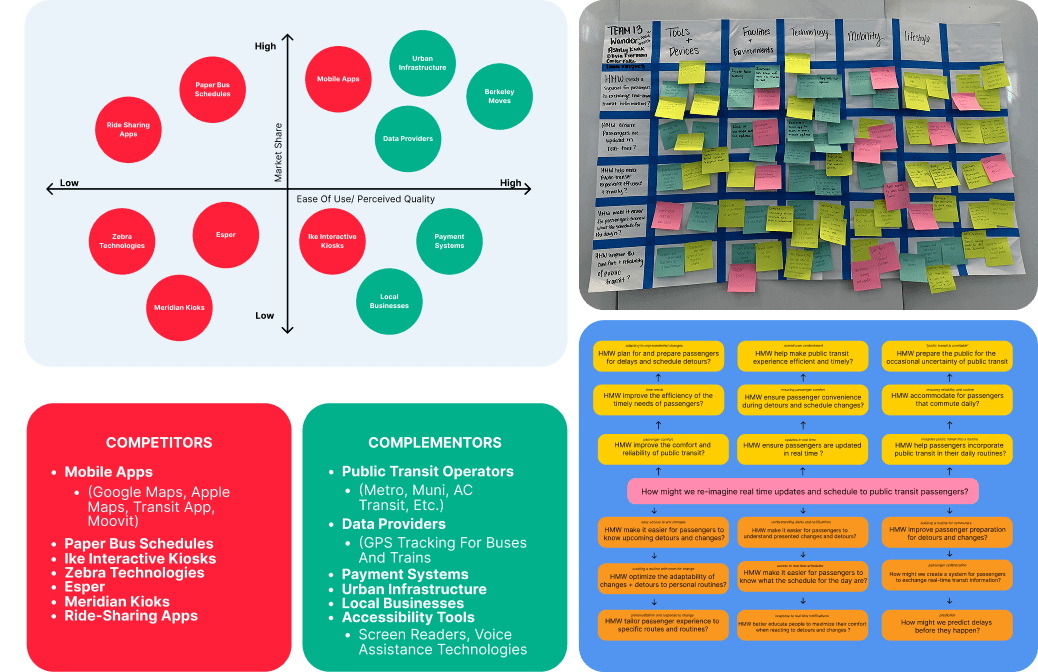
Competitive Analyses
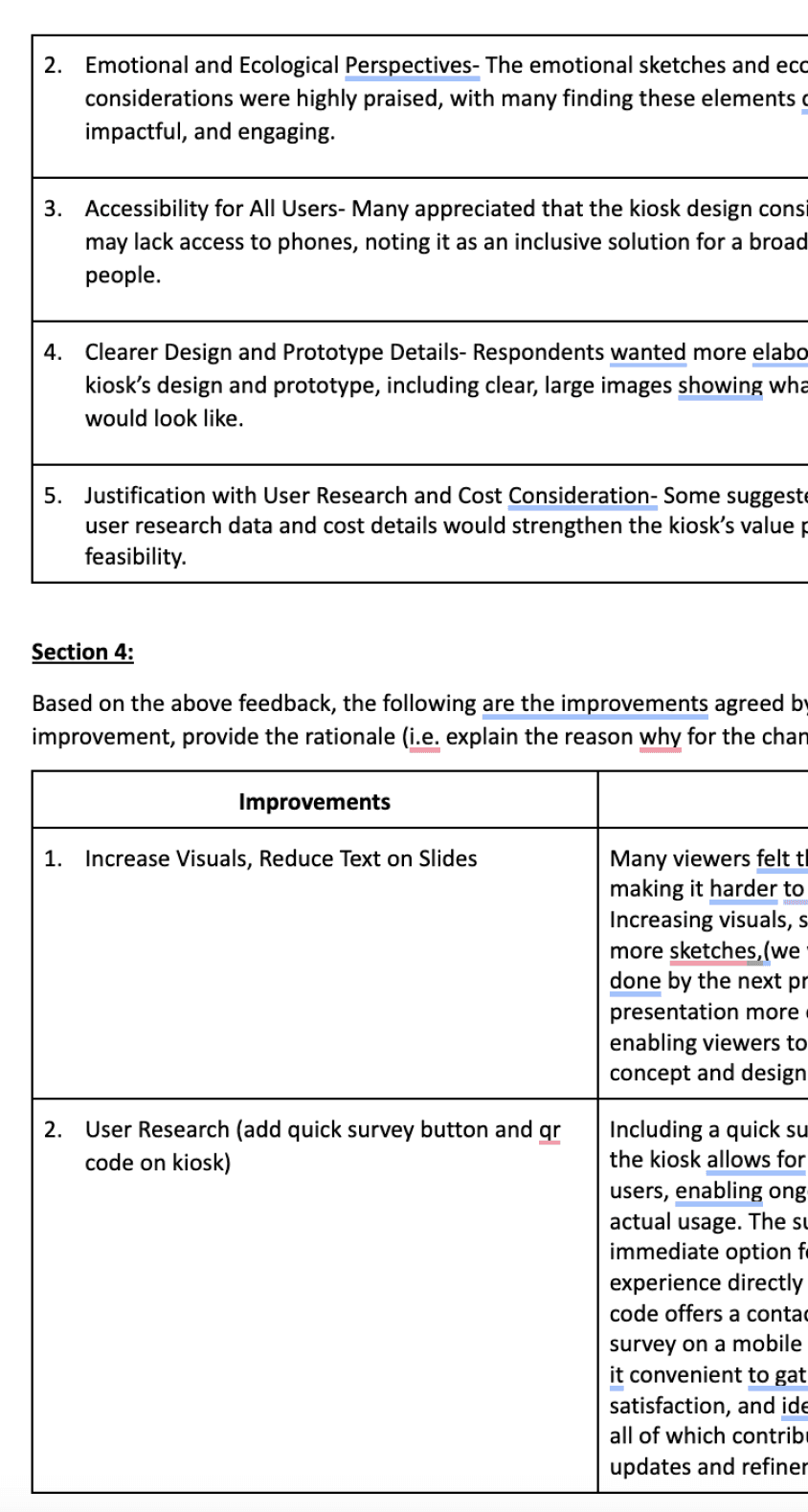
Usability Testings
RESEARCH
Primary Research
Visualization
Storyboarding
User Understanding
Persona Cards and Journey Maps


Success Metrics
❤️
The People Are The Best Part
The Lovely Wander Project Team @Jacobs Showcase